Instructions for Responding to Custom Form
 Basic > Custom Form
Edition Supply Chain Platform – Lite; Supply Chain Platform – Basic; Central Site.
Function
Used for responding to various survey forms requested by the system manufacturer.
Filling Proces
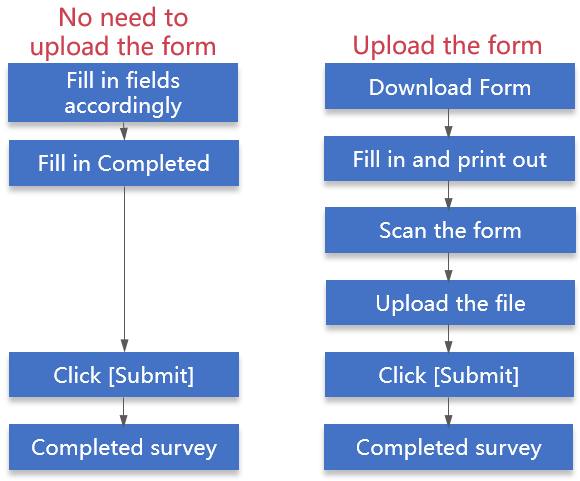
Operating Instructions
Operational steps are as follows:
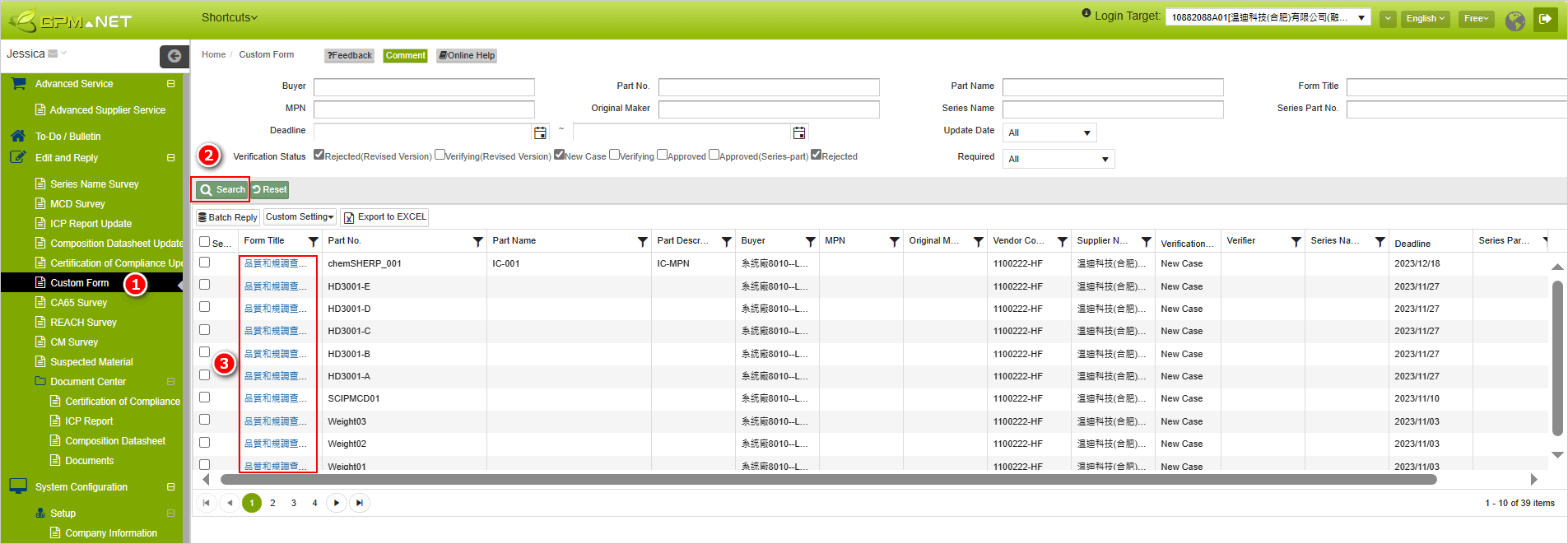
- Click on the menu bar [Edit and Reply] > [Custom Form].
- Search for the Custom Form to be filled out.
- Click on the blue text in the [Form Title] column to open the filling page.
-
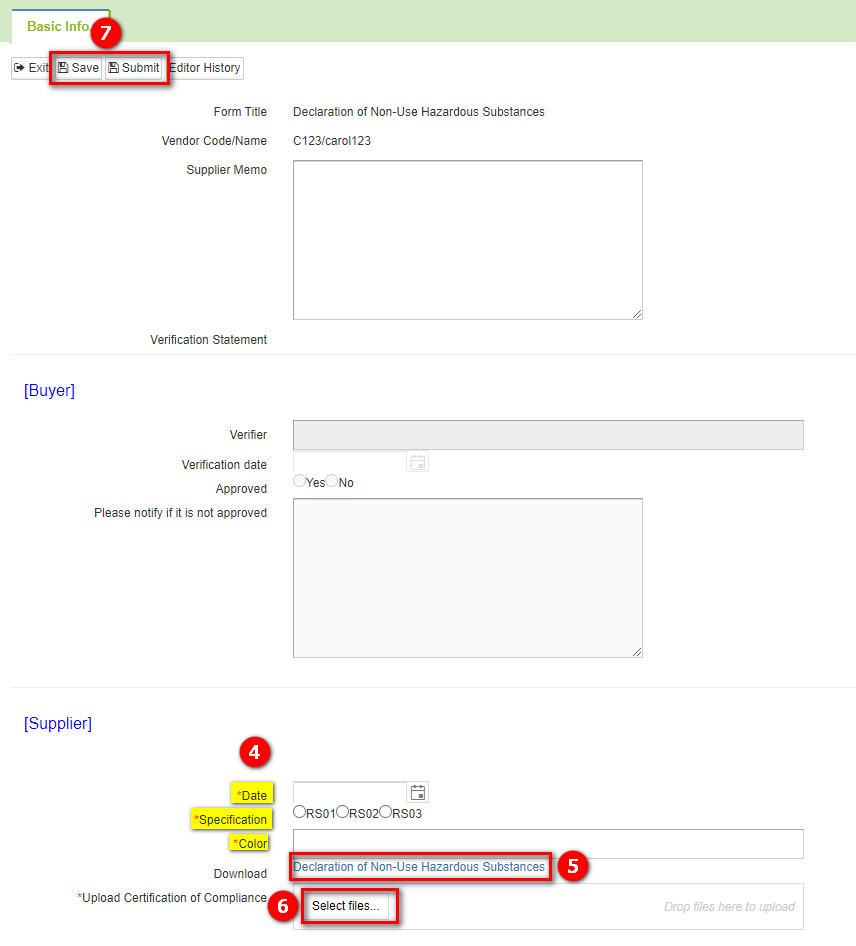
Fill in the [Supplier] section based on the fields provided.
-
If you need to submit a file, please click on the blue hyperlink to download the template.
-
After completing the form, please upload it.
-
Click the
 button to complete the response.
Explanation
The [Buyer] section is designated for system factory personnel to fill in, and is view-only for your reference without requiring any input.
"If the buyer requests a 'company seal' (as shown below), please affix the company seal, sign, and then scan the document in color to return it as a PDF.


Batch Reply
To use the [Batch Reply] feature for simultaneous completion and submission of multiple forms of the same type, follow the steps below:
- Click on the menu bar [Edit and Reply] > [Custom Form].
- Enter the form name you wish to respond to in [Form Name], then click [Search].
- Check the forms you want to respond to in the search results list, then click [Batch Reply].
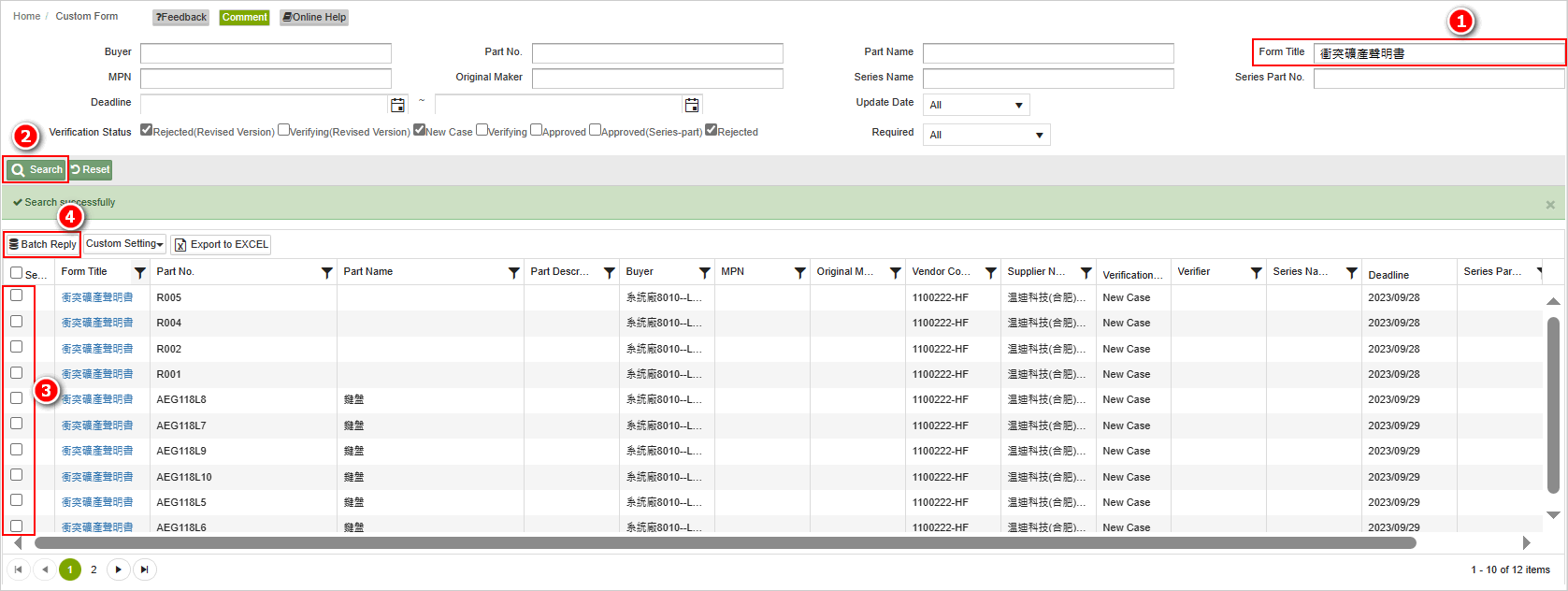
- The system enters the batch reply interface, where you can fill in the form content. Finally, click [Submit] to complete the process.
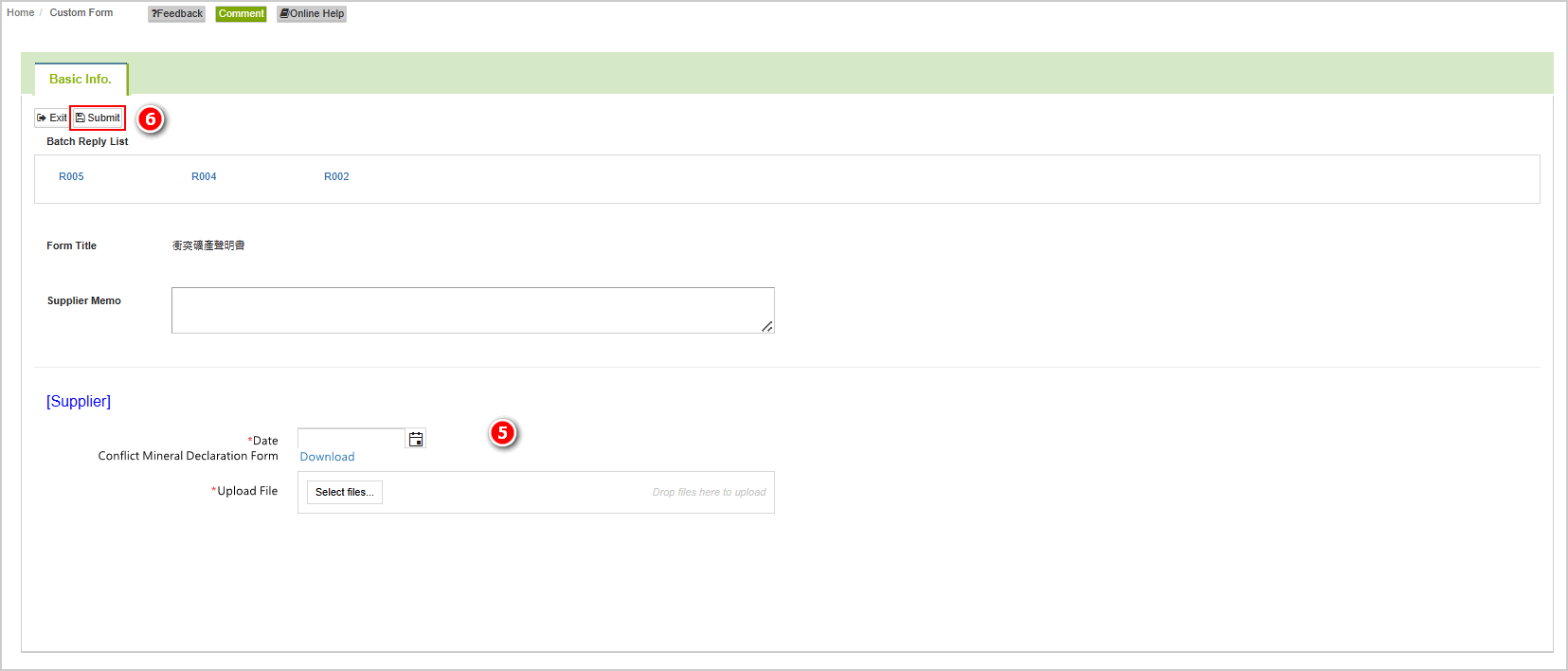
- The system will display a success prompt box after the submission is successful.

Review the Reasons for Form Rejection
The steps to view a rejected form are as follows:
- Click on the menu bar [Edit and Reply] > [Custom Form].
- Filter the forms that have been rejected.
- Click on the blue hyperlink in the [Form Name] field to open the form for editing.
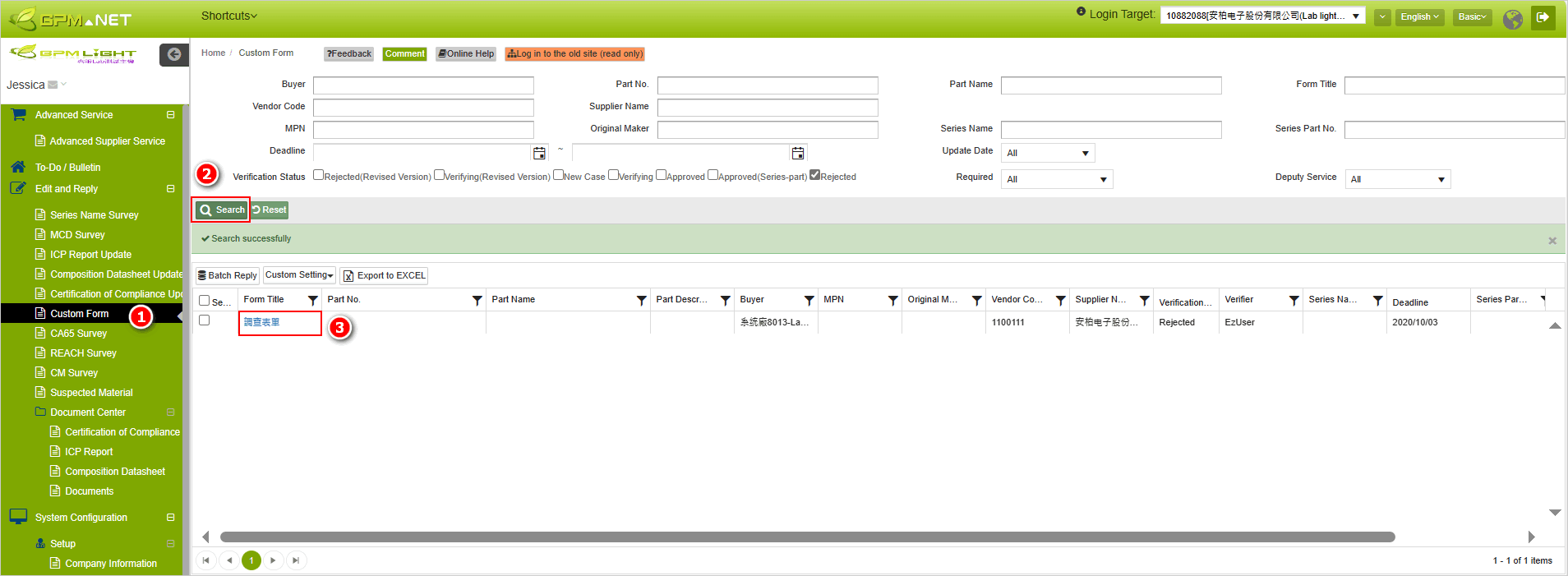
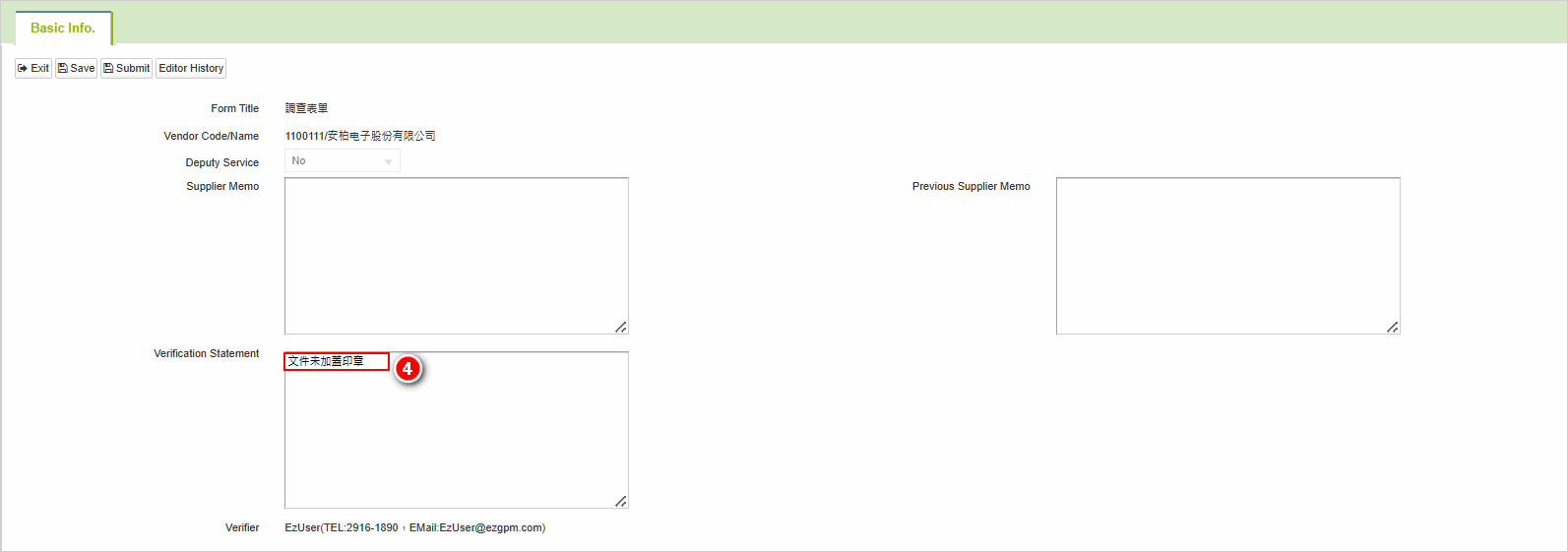
- In the [Verification Statement] section, you can see the reasons for the rejection. Revise accordingly based on the comments and resubmit for review.
More Information
System Function > Custom Document Library